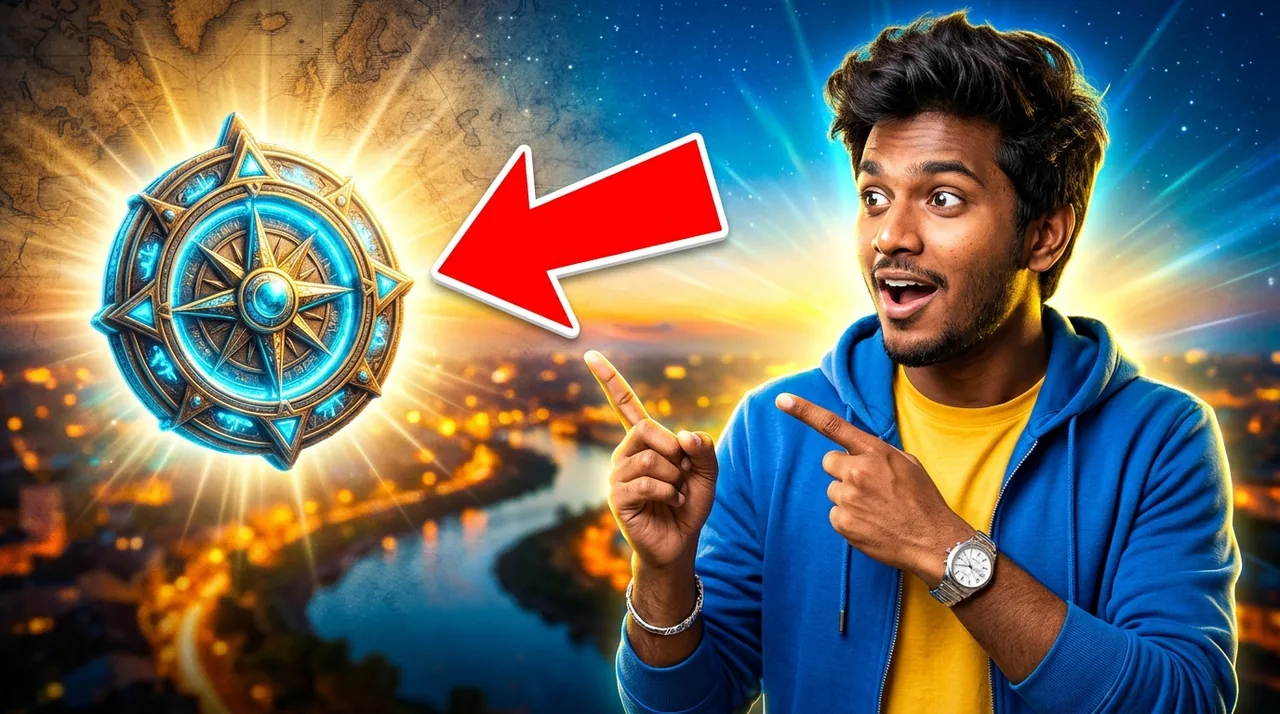
✨ Ye example photo AI ne ek kaalpanik model ke saath banayi hai. Aapki photo daalne par chehra aapka hoga.
✨ Prompt
Size 16:9Use the uploaded photo as the reference. Keep the face, facial features, skin tone and identity exactly the same. Create a bold YouTube thumbnail: the person on the right side with a surprised, excited expression, pointing towards the left. Left side: a bright glowing object related to the video topic with a big red arrow pointing at it. Vibrant blue and yellow background with a subtle glow, strong rim light around the person, high contrast, sharp, clean, no text, 16:9.
Click badhaane wala thumbnail — apni photo, chamakta background aur laal teer.
Kaise use karein
- Gemini kholiye (app ya website).
- Apni saaf, saamne se li hui photo upload kariye (chehra achhe se dikhe).
- Upar ka prompt Copy button se copy karke paste kariye aur bhejiye.
- Pasand na aaye to 'dobara banao' kahiye, ya prompt mein rang/kapde badal kar try kariye.
💡 Tips
- Text baad mein khud jodiye, AI se thumbnail par lamba text na likhwaaiye
- 'glowing object' ki jagah apne video ka topic likhiye, jaise 'iPhone'
🔒 Apni photo sirf Gemini/ChatGPT jaise app mein daaliye. Yashvik AI aapki photo kabhi nahi maangta aur na save karta hai. Kisi aur ki photo bina ijaazat ke mat lagaiye.